Keybot - Exploring Research Through Design
Introduction #
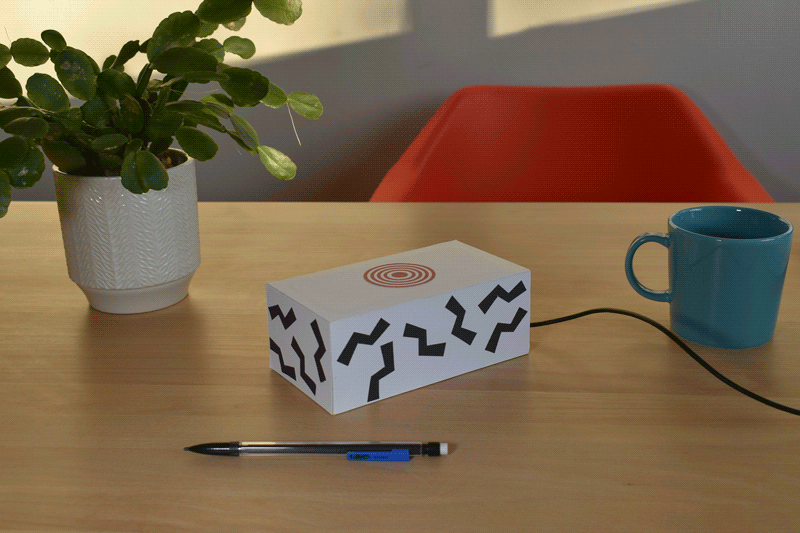
Keybot addresses the challenge of limited key access in shared studio workspaces at design and art schools. Typically, only a single shared key is available, causing repetitive and frustrating interactions for anyone trying to get in. I designed and built a device that automatically notifies colleagues of someone's presence — indicating the doors are already unlocked — simply by detecting the key in its usual spot.
The aim of Keybot is to replace a cumbersome interaction with an automated one, while preserving the sense of communal connection. Reducing human-to-human contact — even the annoying kind — risks diminishing team dynamics. The central tension is designing a device that automates the tedious without eroding the communal.
Research Through Design #
In spring/summer 2023, I participated in the studio course "Research with Yo-Yo Machines – exploring context, form, and function," led by visiting educator Alma Leora Culén. The course combined theoretical study, hands-on workshops, and practical exploration of DIY playful communication devices known as Yo-Yo Machines. Keybot is the outcome of that course.
Identifying an Opportunity: Streamlining Access to Shared Workspaces #
As a student at FaVU, a fine arts and design school with discipline-oriented studios, I noticed a recurring problem with workspace access. Each studio has a dedicated physical space where up to 30 members work, study, and socialise, yet only a single key is available at reception. Everyone has to check it out each time they want to enter, even when someone is already inside.
In Design Studio 1, where I'm a member, visits are frequent but unpredictable, and our studio, along with eight others, is in a separate building from the reception, making every key run a real round trip.
This friction led to an inconsistent pattern of informal communication within the studio, with messages that often arrived too late, if at all. Recognising the need for something more reliable, I started thinking about automating the process based on patterns that had already emerged organically within the group.
This observation of a small but persistent inefficiency prompted the Keybot project: an automated solution that builds on existing communication practices to let peers know when the studio is open.
Studies #
The Tension of Automation #
Automation has long been seen by some as a force that erodes humanity, individuality, and genuine connection. Society raises these concerns in each technological era - today the focus is AI: more control or more freedom? More jobs or fewer? These debates tend to focus on broad societal impact. Less often asked is what automation does to our interpersonal relationships, our sense of community, and the texture of everyday human interaction.
This brings me to a fundamental question: can automating something as innocuous as key sharing diminish a community by eliminating micro-interactions? And conversely, can humanist interaction design not only mitigate those losses but create new opportunities for connection?
Humanist Technology from Emergent Behaviour #
Rather than imposing technology-driven changes on behaviour, I believe technology should adapt to people's existing behaviours. The design process for Keybot therefore started by observing communication patterns around key sharing that had already emerged organically in our studio.
The most common pattern was someone messaging the group Discord on their way to the studio to ask if anyone was already there. Unreliable — not everyone had notifications on, and responses often came too late. But when it worked, it worked well. To capture that dynamic, I collected real messages members had sent to announce their presence, and repurposed them as the automated system's output. Using a pool of human-written messages keeps the experience friendly and varied rather than robotic.
A less frequent but more useful pattern: some members would post immediately after unlocking or locking the studio, so anyone en route could quickly check the channel. Keybot automates exactly this.
Chat as a platform #
Smartphones and apps are the default solution to most communication challenges. With always-connected devices perpetually at hand, the prevailing approach is to build a dedicated app for everything.
I contend that chat — already central to organising groups in the digital age — can itself be a platform for prototyping technology. Instead of complex code, prototypes can be built using social conventions and simple text formatting. I've seen chats used as reading clubs, habit trackers, diaries, polls, wikis, directories, and art projects. Over time, intentionally or organically, a chat evolves and transcends its original purpose.
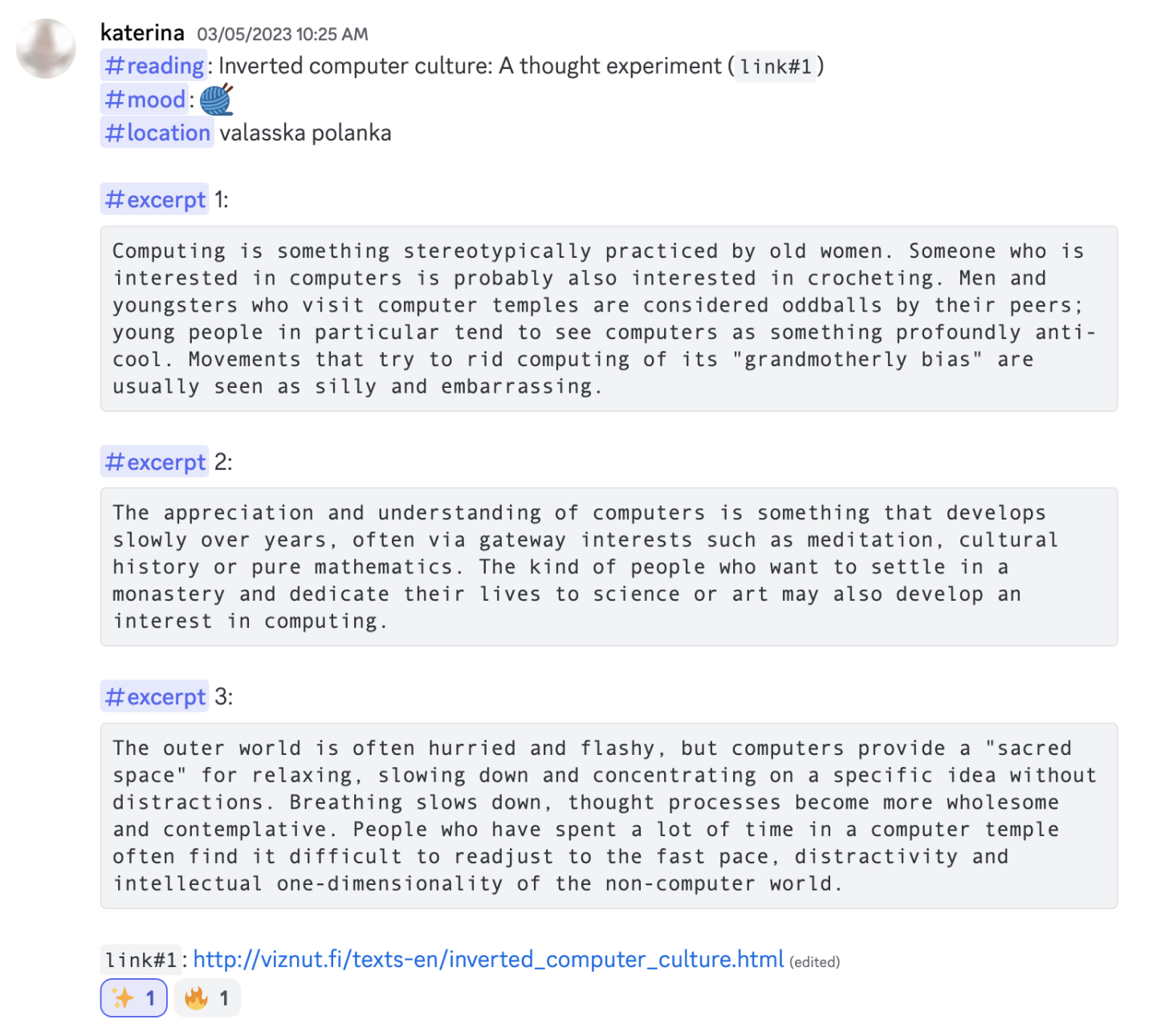
The key ingredient is shared social convention: the group must reach consensus on how and when the chat transitions into a distinct tool, and what its functions and behaviours are.
Discord Bots #
Discord is an exceptionally fertile environment for unconventional uses. Servers contain multiple channels organised into categories, and the combination of markdown formatting, mentions, and emoji reactions creates a highly adaptable substrate. On top of that, bots — programmable users — can do anything from playing music to moderating servers to interfacing with external services. For Keybot, a Discord bot serves as the underlying communication layer, avoiding the need to build yet another app.
Single-purpose Computers #
Most computing — including chatting — happens on general-purpose devices: desktops, laptops, tablets, smartphones. These devices can do nearly anything, which means their interfaces must be hyper-generalised. They have become indispensable tools for navigating modern life.
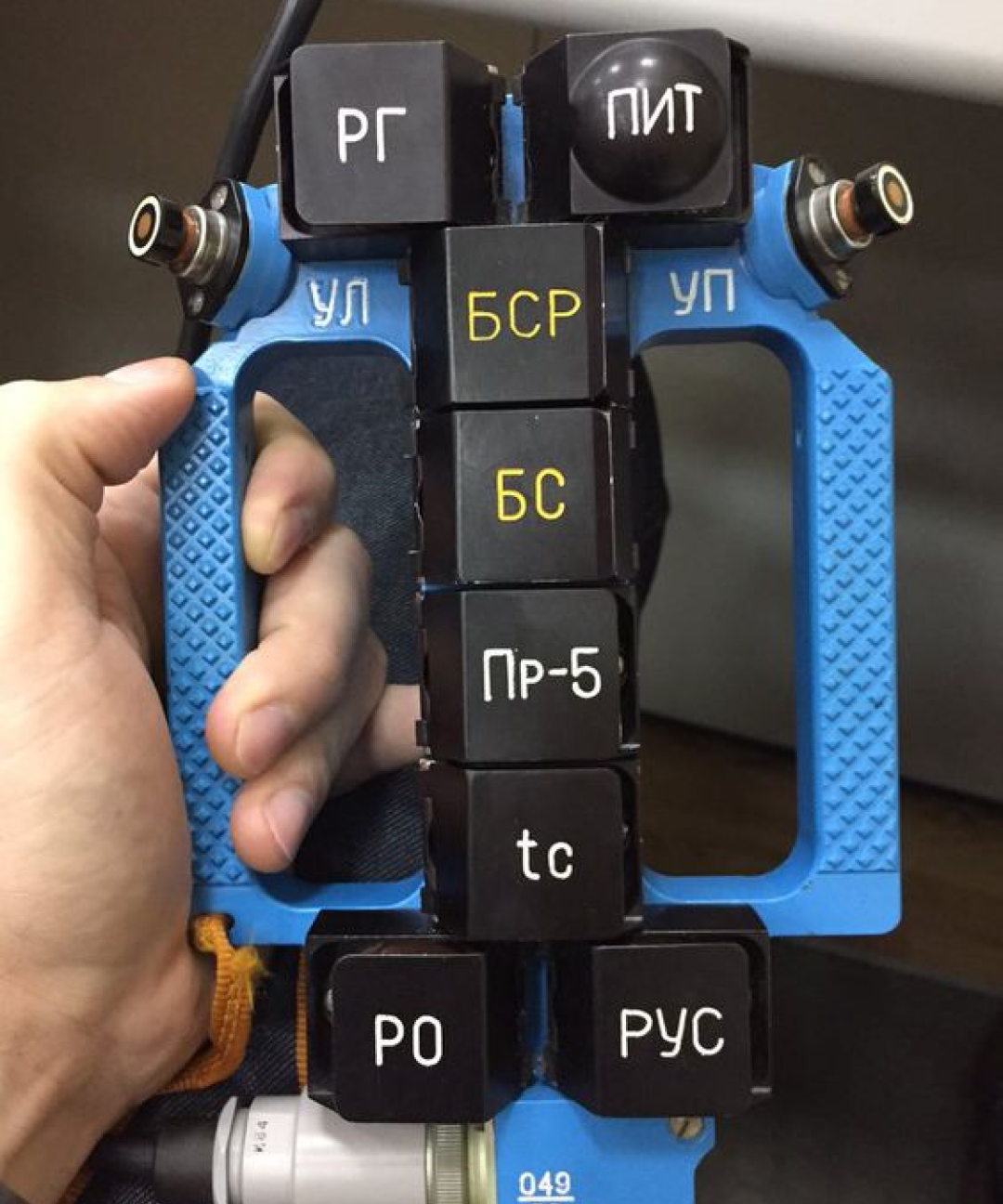
Single-purpose computers occupy the other end of the spectrum. Purpose-built with one objective, they offer a specialised interface tailored to specific interactions. That singular focus enables simplicity — as in Dieter Rams's devices — and tactility, as in retro gaming cabinets. Constraint becomes a feature: limitations allow greater emphasis on the quality and aesthetics of the interaction itself.
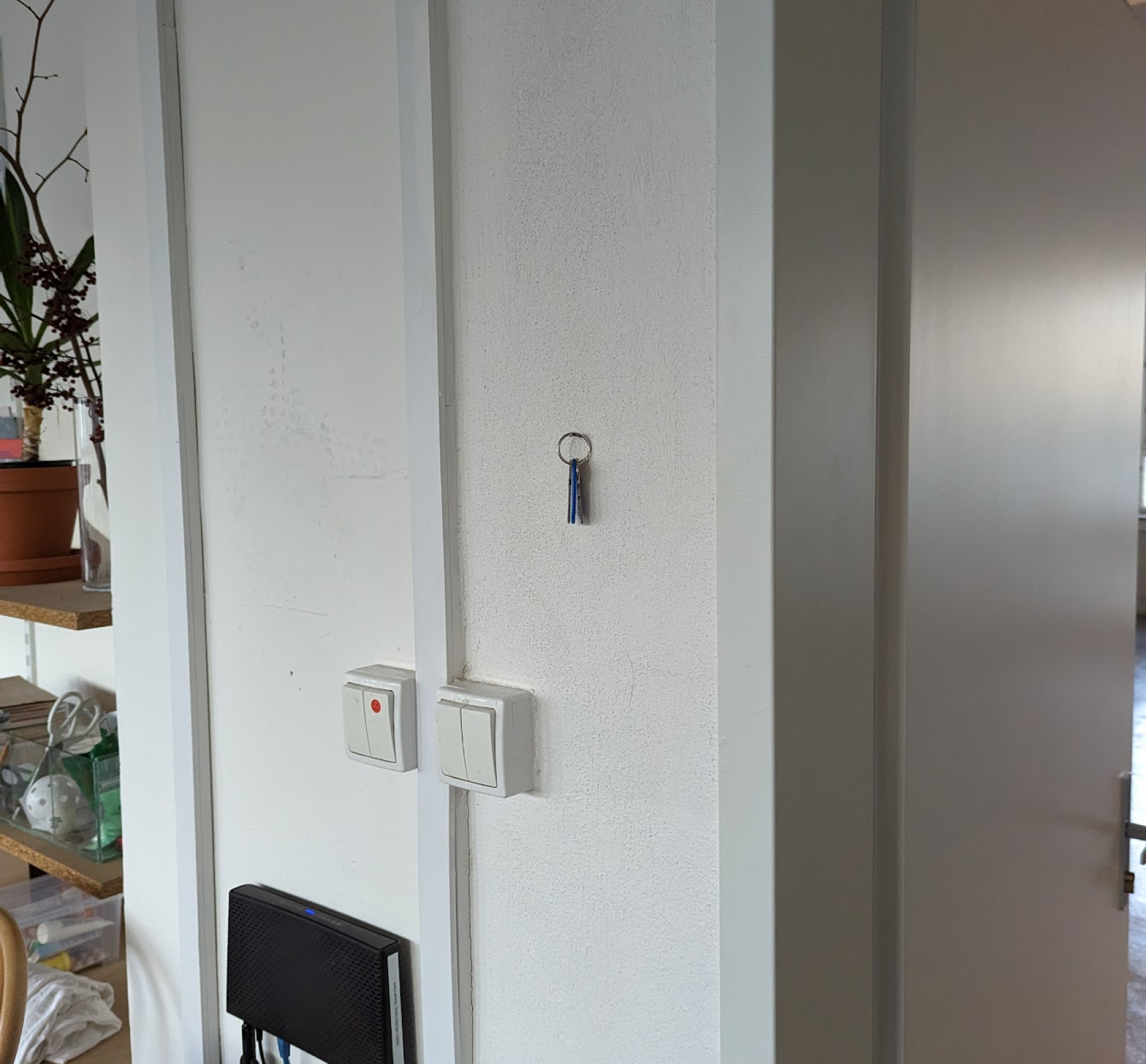
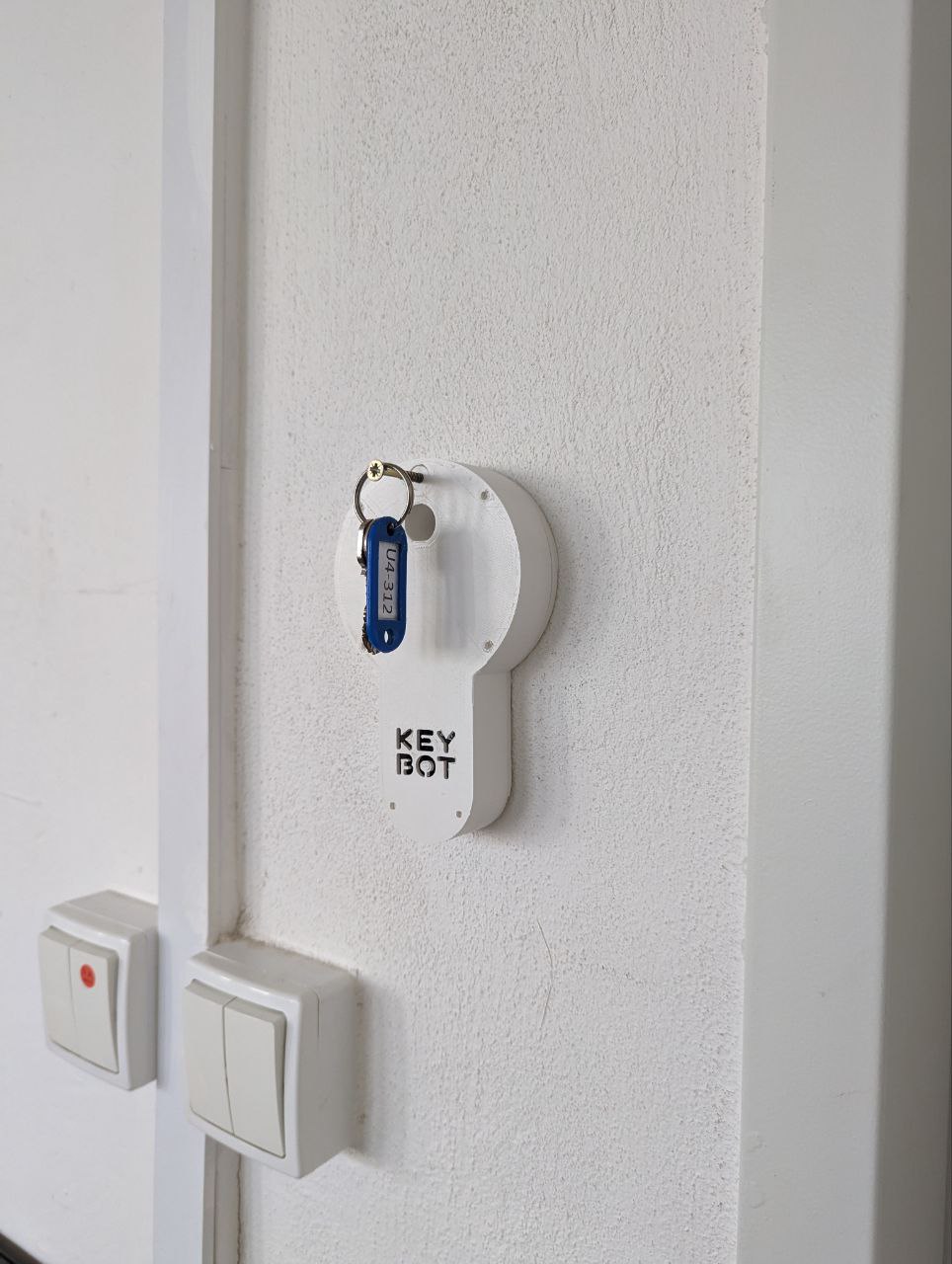
Physically, Keybot drew inspiration from an existing feature of the studio: a simple nail next to the door where the key always hung. I positioned the device in the same spot, aiming for near invisibility, minimising friction and making the transition seamless.
Exploring Interactions #
Chat Connected Key Sensor Interaction #
The core interaction of Keybot centres on a sensor that detects the presence of a key. When the key is detected hanging on it, a message is sent to a designated Discord channel — the interface for interacting with the device over the internet.
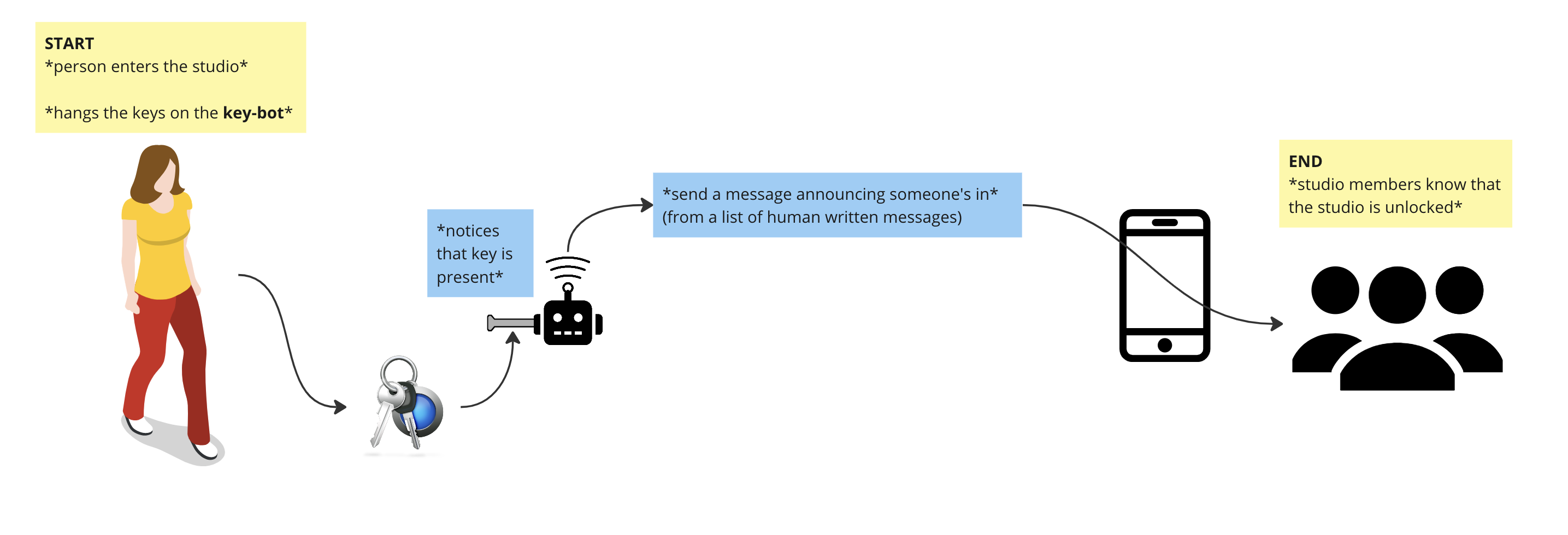
When the sensor no longer detects a key, the device assumes everyone is leaving and the key is being returned to reception. Members are notified via the same channel, mirroring the on entry interaction.
Accounting for Human Error #
In discussions with studio members, a recurring concern emerged: human error. It's entirely possible to accidentally pocket the key and take it home — frustrating in general, and a real problem for Keybot specifically.
I explored various solutions. A doorframe sensor and an electromagnetic lock were both dismissed — too intrusive, or not actually solving the problem.
At one point I went deep on researching clock designs, hypothesising that a secondary function could make the device more noticeable. The idea still captivates me, but wasn't feasible within the project's timeframe.
Knock Interaction Inspired by Yo-Yo Machines #
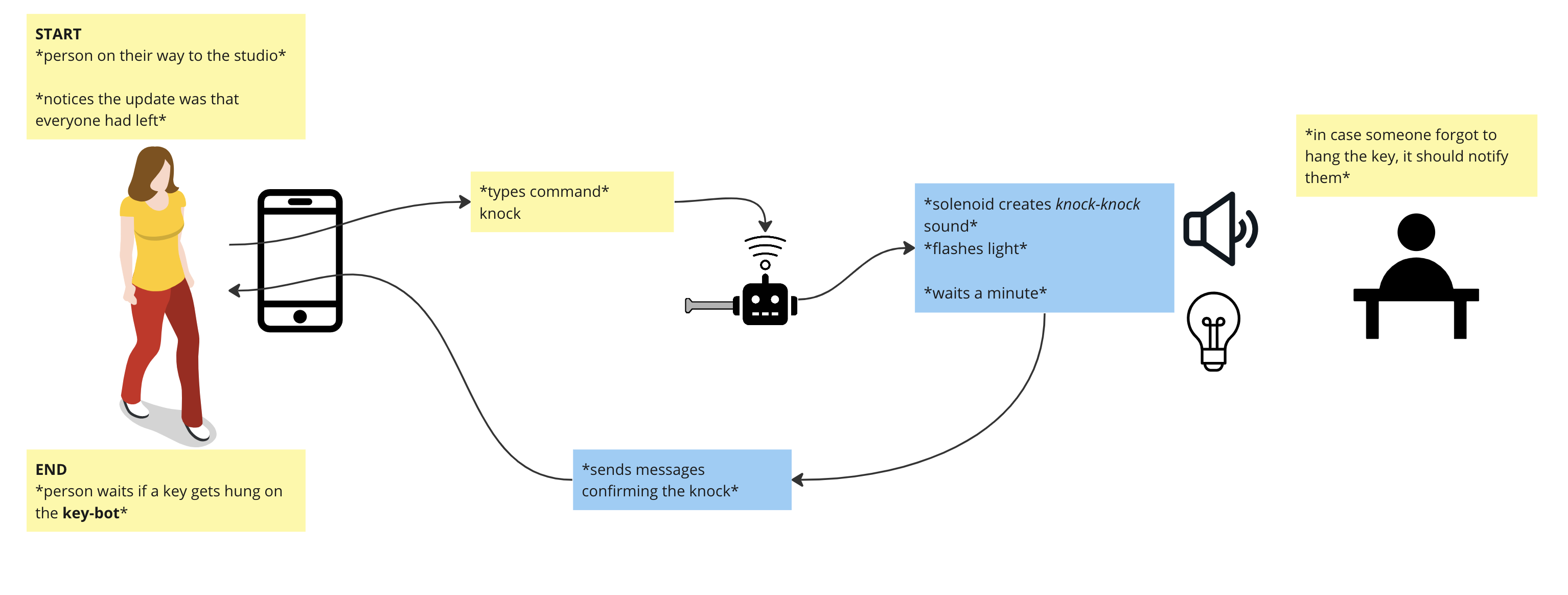
The final design drew inspiration from the Yo-Yo Machines "Knock-knock" device, which uses a piezo microphone to listen to knocks and replicates the pattern on a paired machine via a solenoid, each machine acting as both input and output.
Knocking — communication through closed doors — resonated as a metaphor. In Keybot, the solenoid produces a knocking sound to get someone's attention inside the studio. If you're on your way and haven't seen an unlock notification, you can send "knock" in the designated channel. If someone is inside but forgot to hang the key, the knock sound and a flashing blue LED prompt them to do so.
Putting It Together In Practice #
The brain: ESP-32 #
The ESP32 is a low-cost, low-power system-on-a-chip microcontroller with integrated Wi-Fi, a compact internet-connected computer capable of powering and controlling electrical components. The same chip powers the Yo-Yo Machines. For Keybot, I used the ESP32-DevKitC-V4 development board.
Capacitive Touch Sensor #
A capacitive touch sensor detects changes in capacitance caused by the proximity or touch of a conductive object, such as a finger or metal key. The ESP32's built-in capacitive touch sensing hardware measures this directly, without needing an external sensor. In my case, I connected a screw to serve as the key hook.
Generating Light and Sound #
Again drawing from the Yo-Yo Machines, I used an addressable RGB LED and a small MOSFET module. The MOSFET drives a push-pull solenoid that produces the knocking sound by striking the inside wall of the casing.
Wiring It All Up #
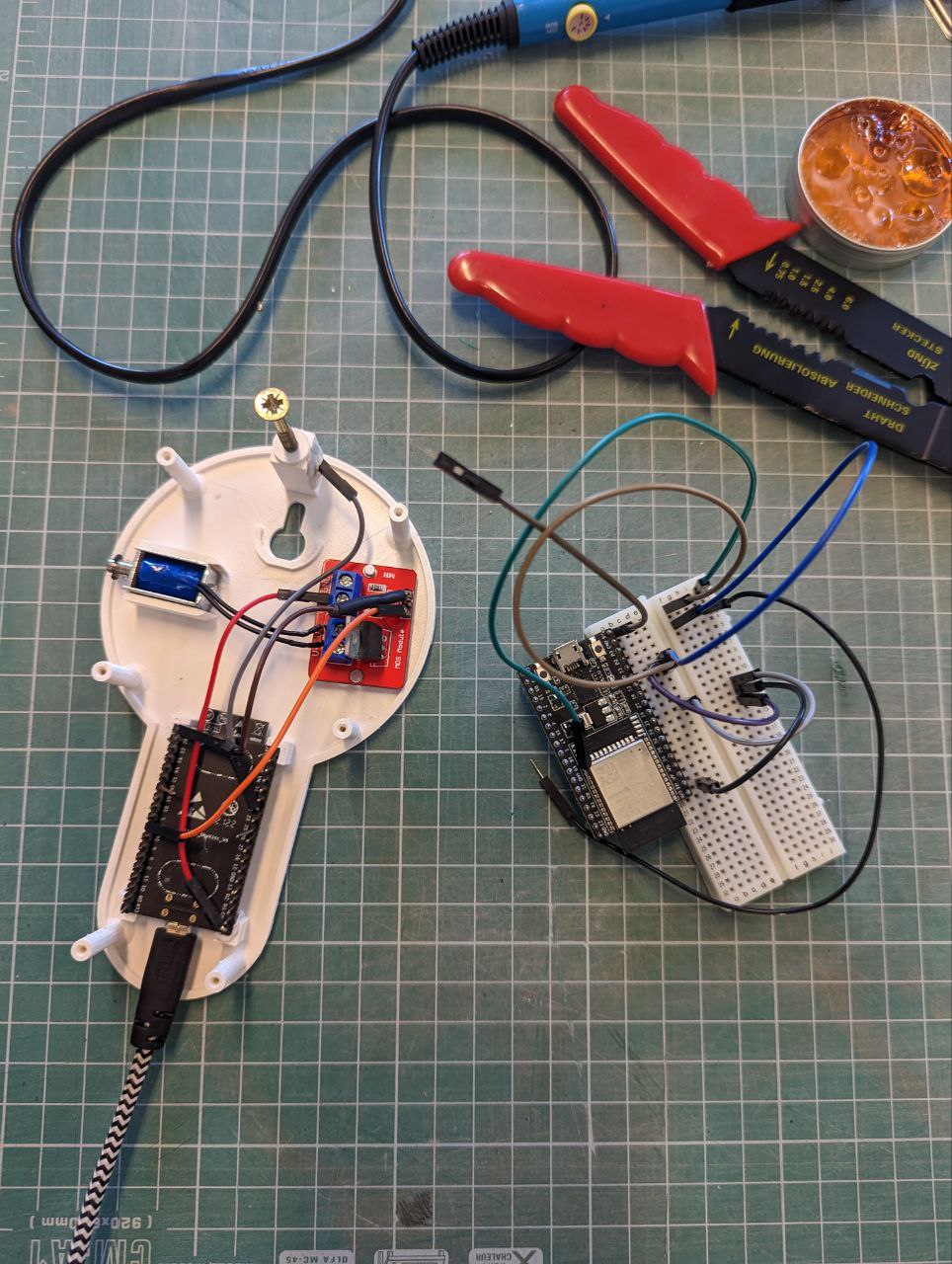
Early prototyping used a breadboard and Dupont cables to validate hardware and firmware. The final prototype uses a mix of Dupont cables and traditional soldering.
Coding The Firmware #
The microcontroller is programmed in C, using the ESP-IDF framework developed by Espressif (the manufacturer). I chose ESP-IDF primarily because of an open-source library that simplifies Discord bot interaction. Code snippets from various open-source examples handled the other components, significantly streamlining development.
Making The Casing #
I opted for a 3D printed casing, allowing for a sturdy and precise prototype quickly. I designed it in CAD software - the final model is publicly available. Paper and styrofoam mockups helped resolve design issues before committing to a print.
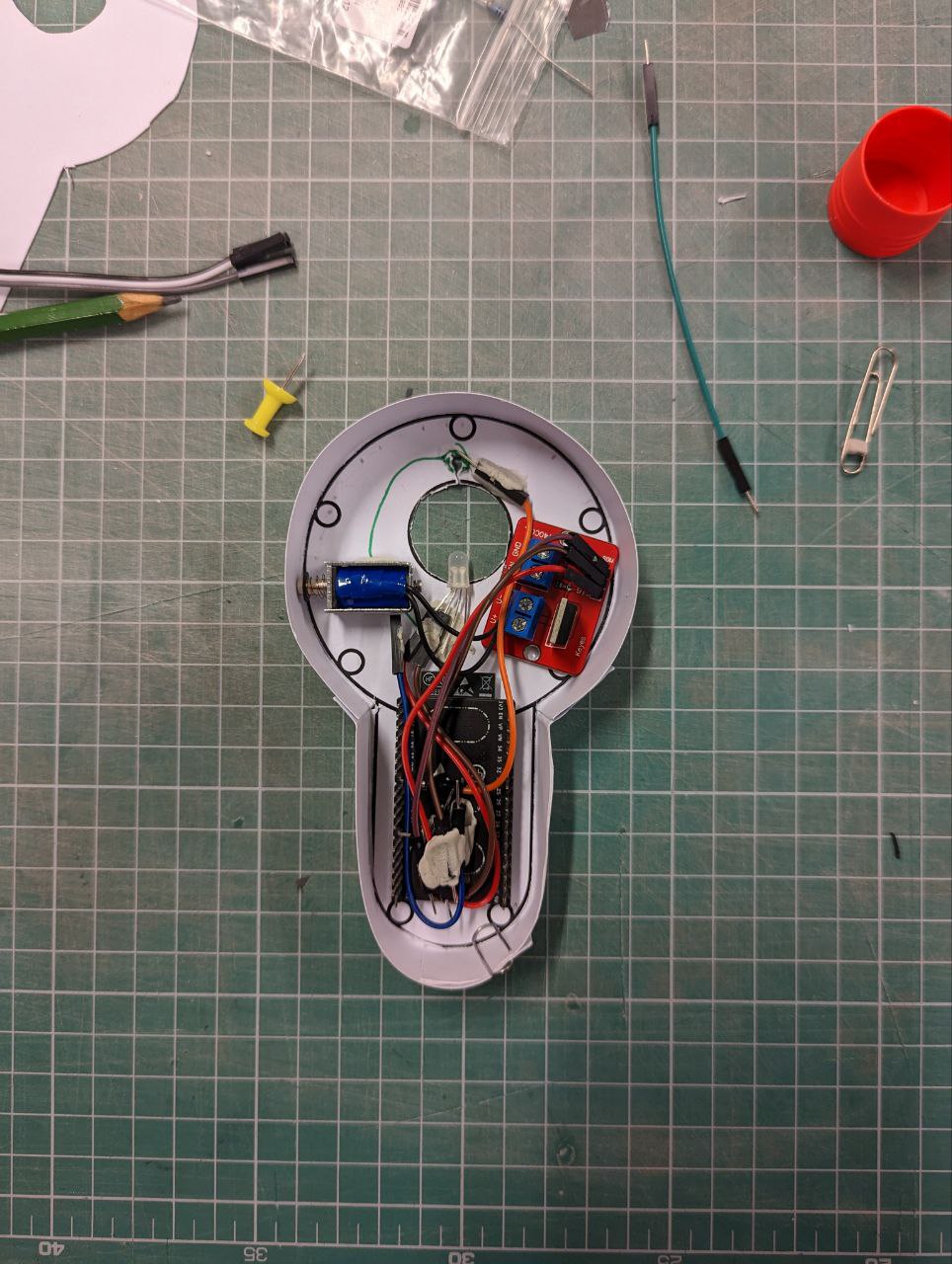
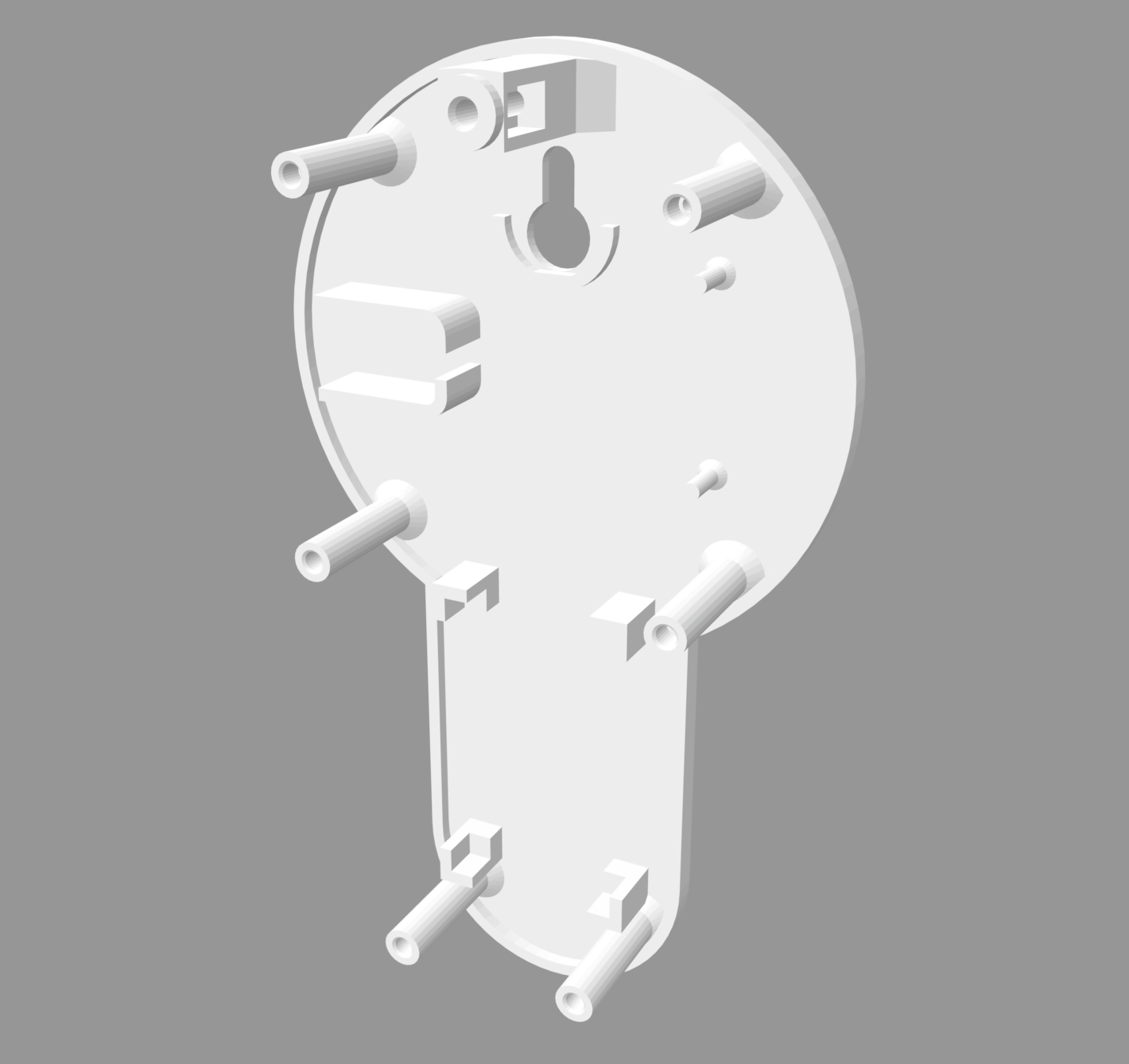
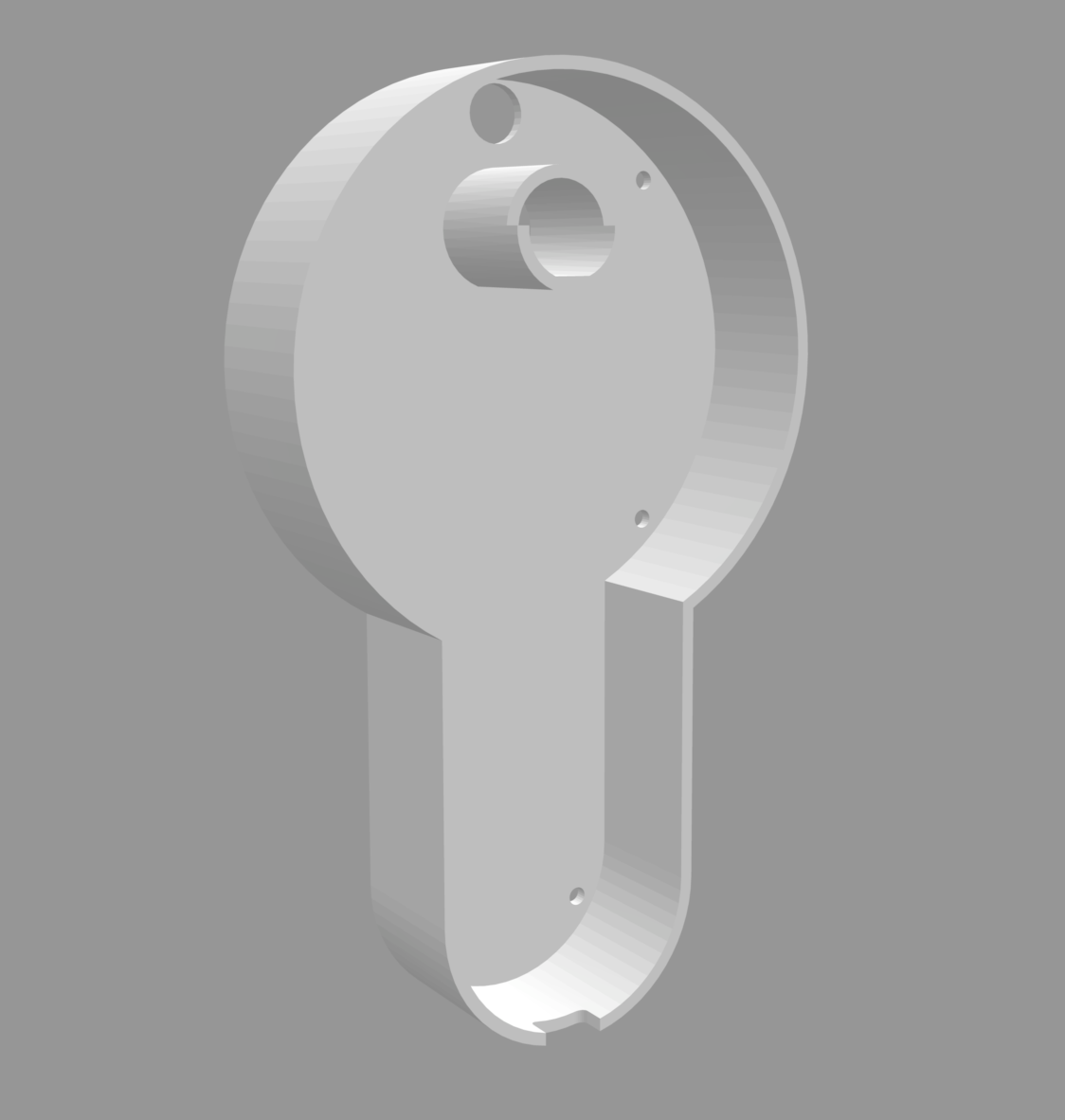
The first print had imperfections, as expected, leading to a revised design. I also ran a poll in the studio Discord on whether to keep the "KEY BOT" logo - the response was overwhelmingly against it, which I was happy about.
Conclusion #
From the particular to the universal #
Focusing on immediate problems in your own surroundings produces the highest quality design solutions. The outcome of designing from lived experience can be described as a version of the "ultimate particular"[1] — from which a more universal artefact can be derived and applied across many situations.
Keybot emerged from a specific university studio context, but can be adapted to any situation where signalling presence matters. The capacitive sensor, for example, could be triggered by the touch of an elderly person arriving at a workshop rather than a key being hung.
All code, 3D models, parts lists, and instructions are available on GitHub under the GPL3 license, for anyone who wants to build on or adapt it.
Systems Thinking Perspective #
My own criticism of this project is that it doesn't address the underlying issue — only one key exists — but only alleviates the symptoms. Changing the school's system or making unofficial copies for everyone would be more systemic solutions. Either might happen in the future, rendering Keybot obsolete. I'm not too bothered. The project was a valuable learning experience and an enjoyable one.
Reference: #
Fallman, D. (2008). The Interaction Design Research Triangle of Design Practice, Design Studies, and Design Exploration. Design Issues, 24(3), 4-18. ↩︎